Back
Index Free Preview Lessons & Instantly Find on Search Results
What is it and why you need it
Your free preview lessons can now be indexed and easily found on your website’s search engine. This means anyone visiting your website can now instantly access free preview lessons through the search bar—without needing to enroll in the course.
Moreover, this feature allows potential students to explore your course lessons and engage with your content before they make a decision to purchase.
So, this added visibility is a great way to improve your course’s exposure and encourage more sign-ups.
How it works
As an admin, you can easily index the free preview lessons directly from the lesson settings inside the course. This gives you full control over which lessons will appear in the website search results.
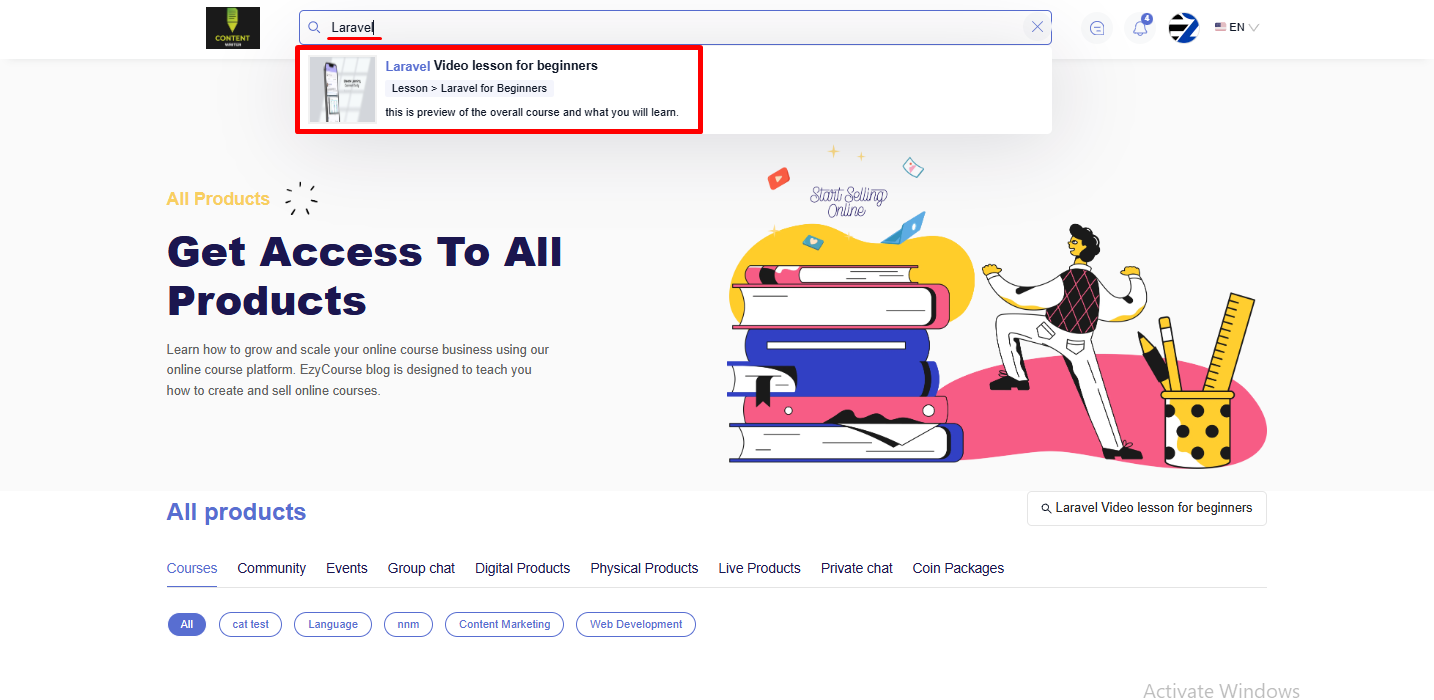
Once indexed, these lessons will be accessible via the search bar on your website. As a result, visitors will be able to instantly view and explore your free preview lessons without needing to enroll.
[Note: Only the lessons you’ve set as free preview can be indexed and viewed in the site-wide website search engine.]
How to get started using it
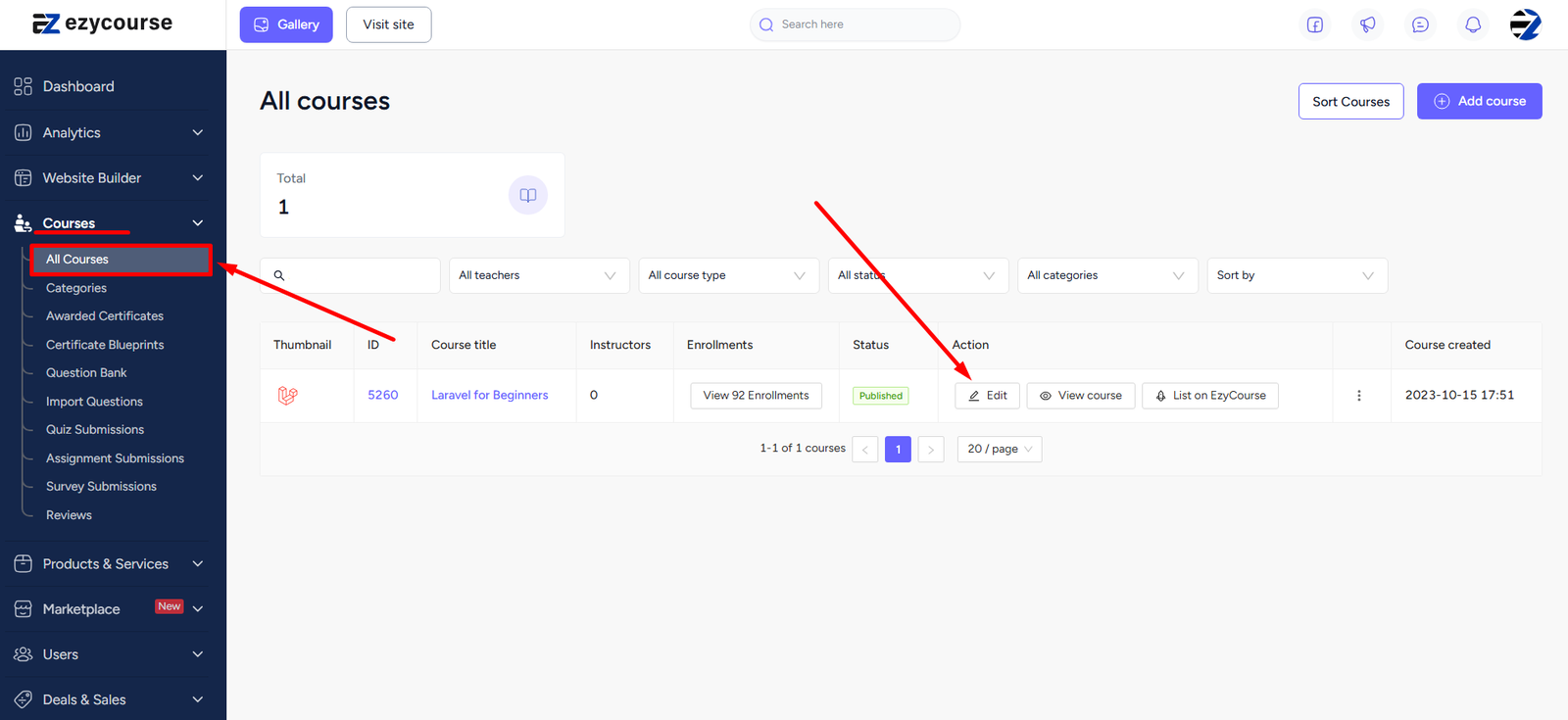
To begin, simply log in to your admin dashboard and go to Courses -> All courses -> click on the Edit button on an existing course you want to add the feature.
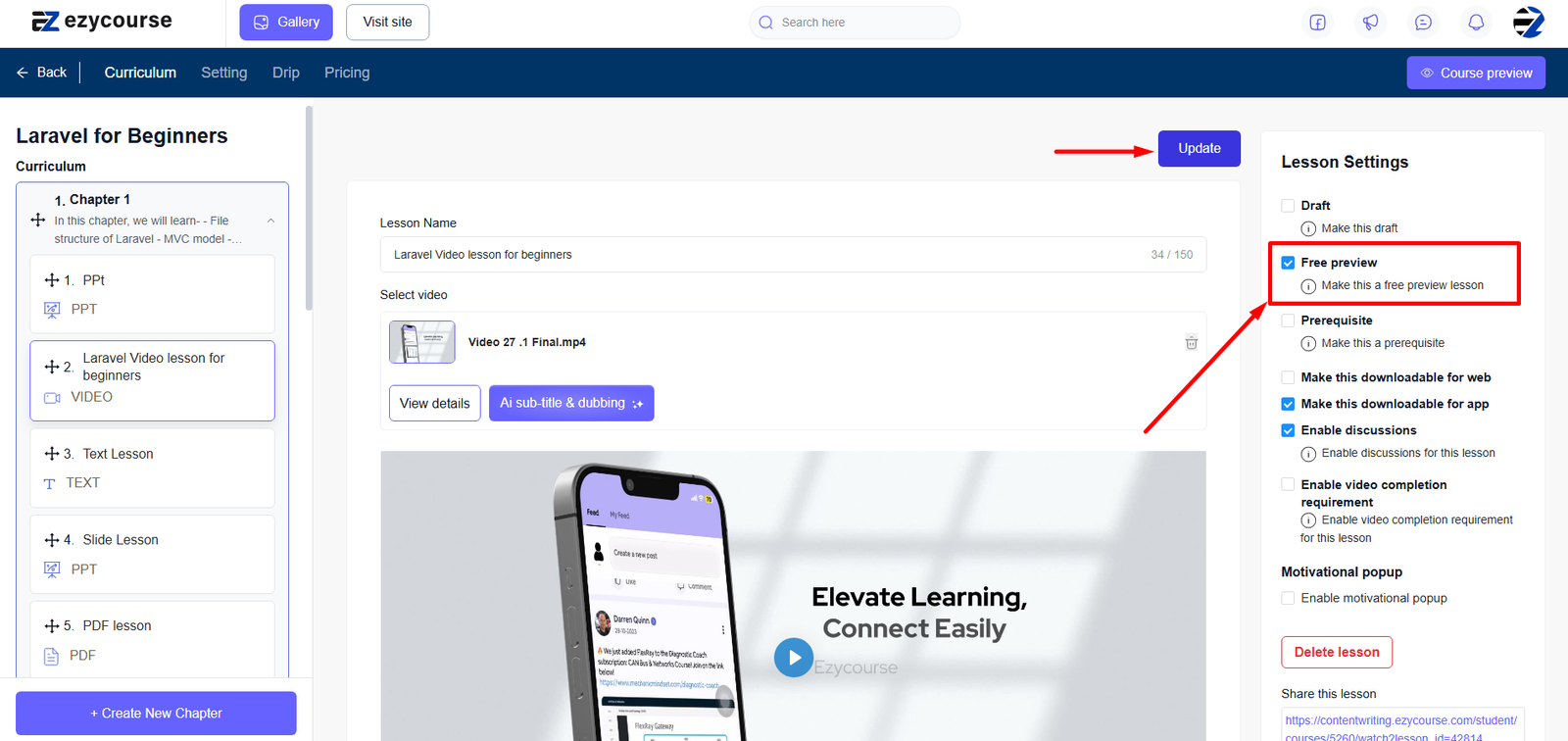
Now, click the chapter of your course and select the lesson from the dropdown menu. Then click the Free preview checkbox and hit the Update button to apply the changes.
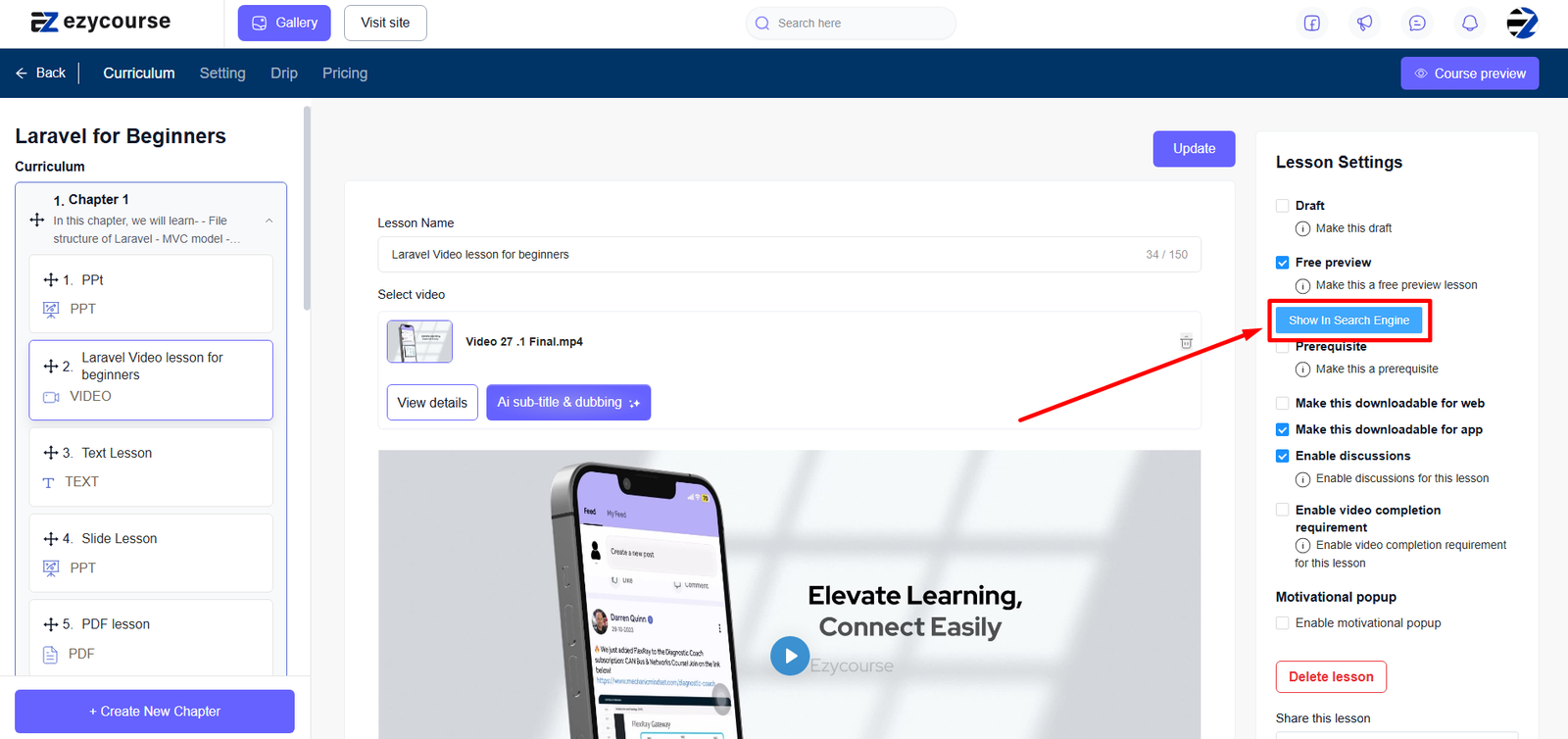
After updating with the free preview option enabled, you'll see a button to index your lesson. Simply click the "Show in Search Engine" button. This will ensure the lesson appears in your website's search results for anyone who searches for it.
And this is what it looks like on your website when a user is searching.