
Back
Universal Add-to-Cart Button Link for Custom Pages
What Is It & Why You Need It
Previously, the Add to Cart functionality was available only on system-generated product widgets. That is, you were unable to add the add to cart link button to your custom pages.
With this update, you can now include the “Add to Cart” link in the button element and sell products directly from custom landing pages.
The supported product types include:
• Courses
• Coaching Programs
• Communities
• Digital Products
• Physical Products
How to Get Started Using It
Log in to your EzyCourse dashboard and go to Website Builder -> Pages and select the custom page you want to edit, or create a new one.

Click Elements and select a Button from the list.

Open the Button Link settings, select the Link Type, and choose "Add to Cart."
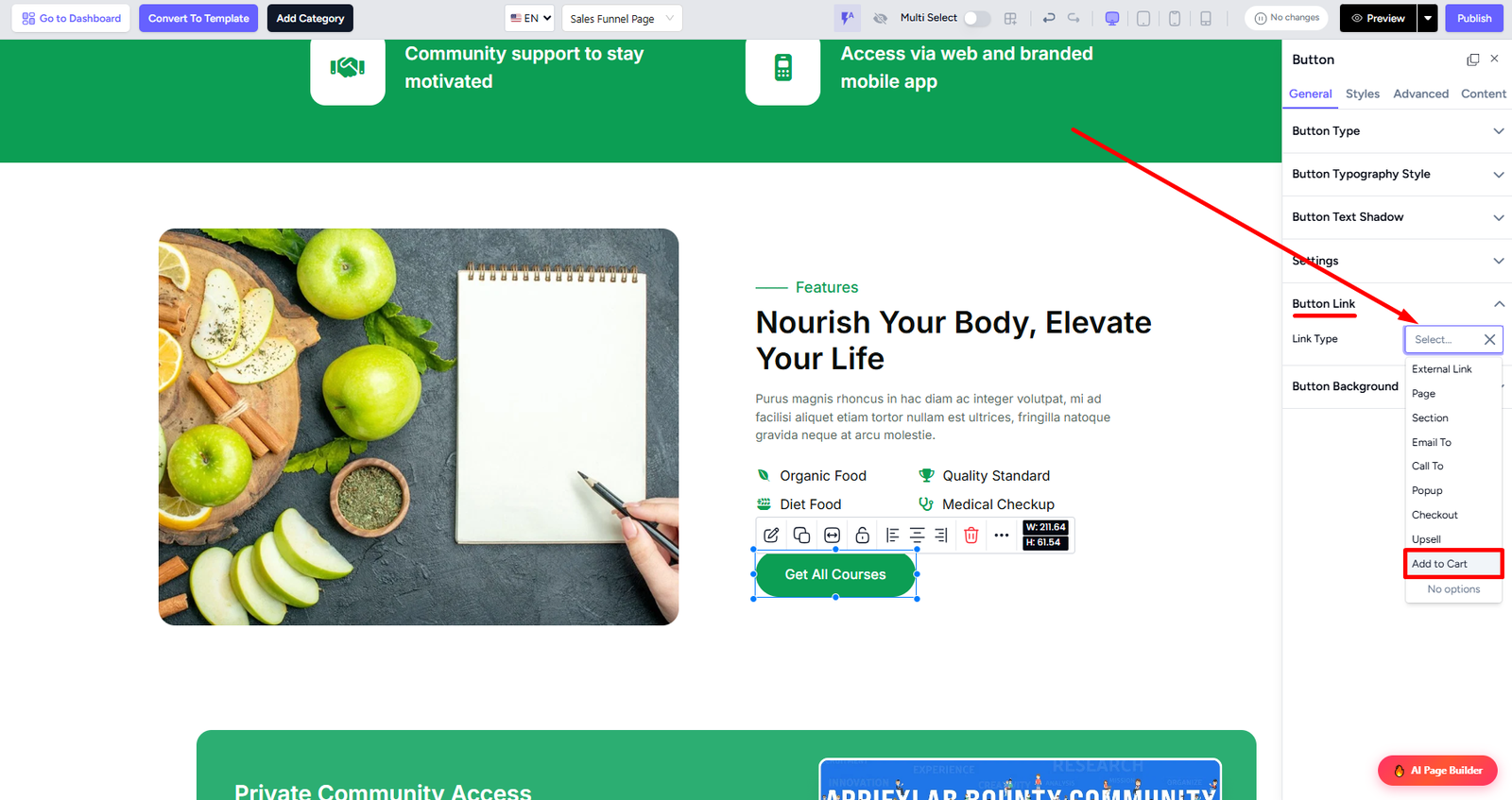
Select the type of product you want to sell.

Pick the specific product from your catalog so that clicking the button adds it to the cart.

You can also add multiple add to cart linked buttons in your custom pages. Note that updating the product price will also require you to update the button link settings.
Customer Flow
Now, when your customer visits your custom landing page and clicks the linked buttons, the products will be added to their cart instantly.

They can proceed to checkout from the cart and complete their purchase easily.
